


|
Fast delivery |
Return your order within 14 days |
24 month warranty |
Free shipping over 199€ |



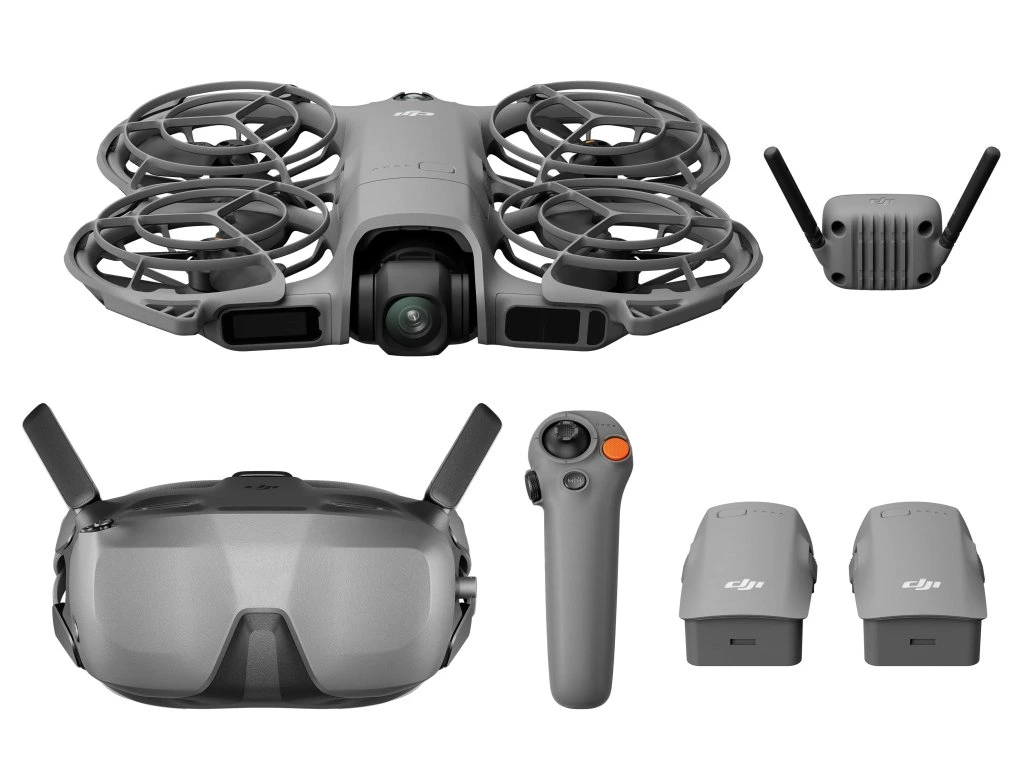
DJI Neo 2 Motion Fly More Combo (RC Motion 3)
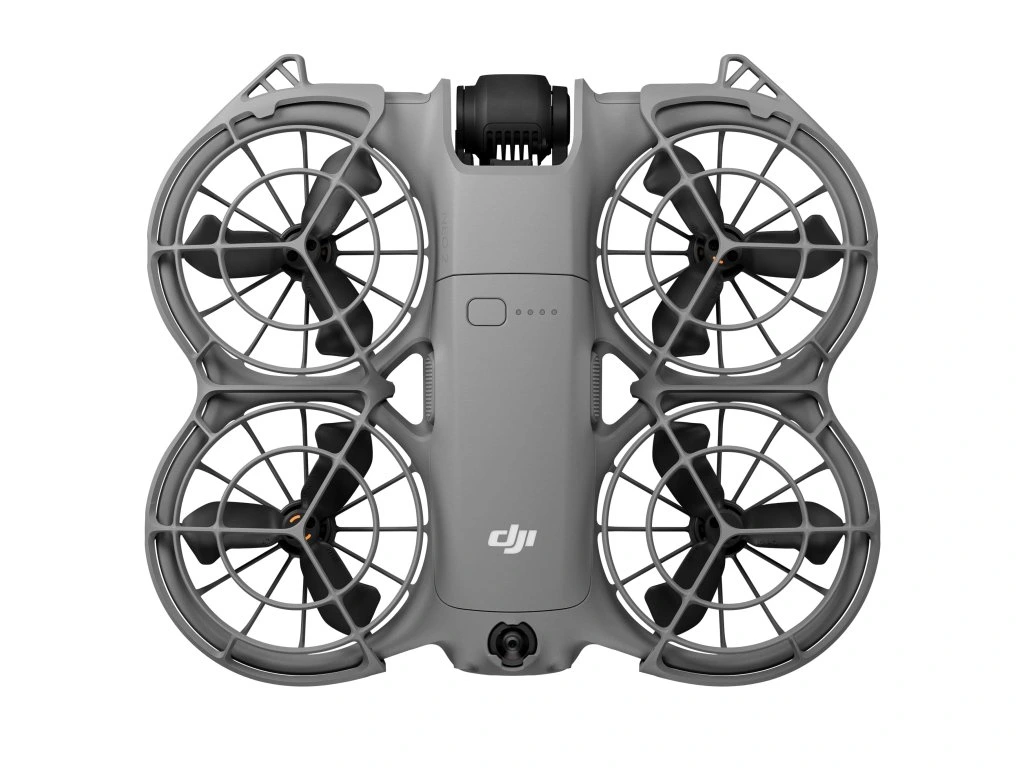
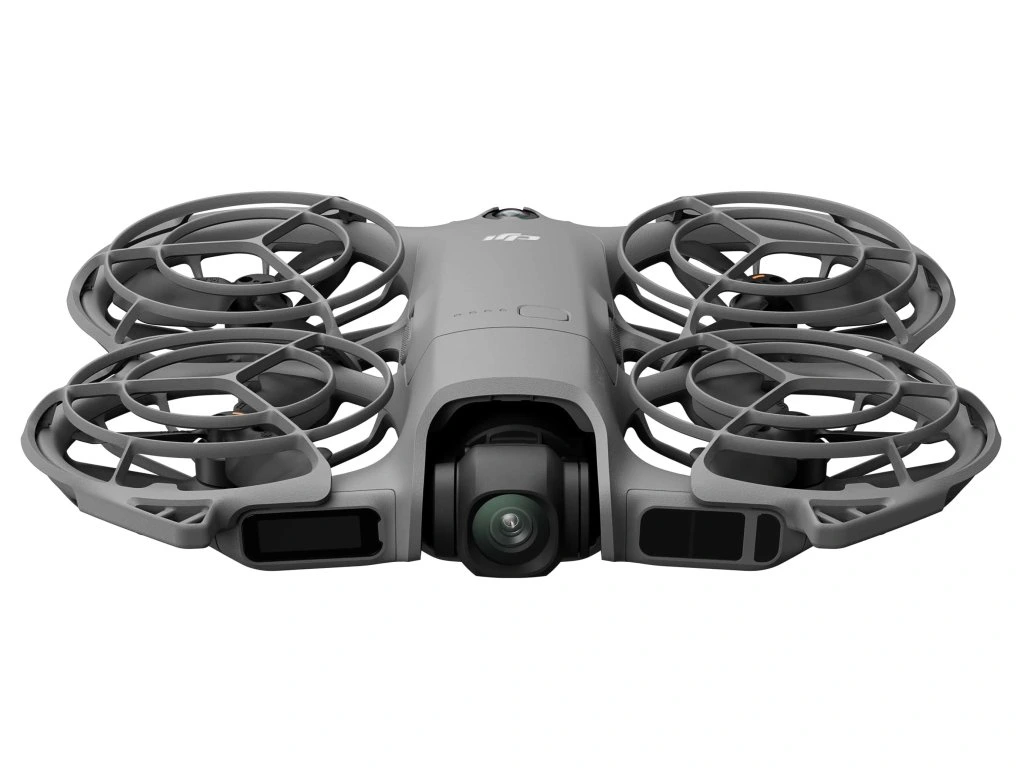
 DJI Neo 2 (Drone Only)
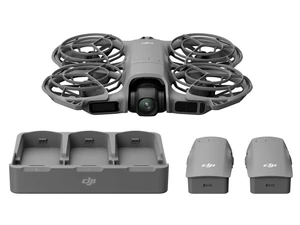 DJI Neo 2 Fly More Combo (Drone Only)
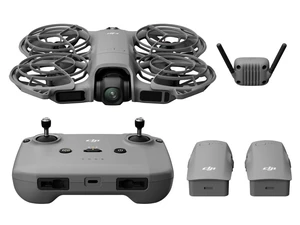 DJI Neo 2 Fly More Combo (DJI RC-N3)
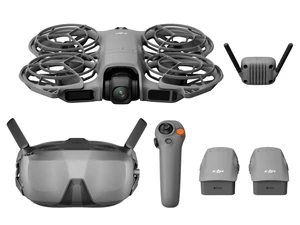 DJI Neo 2 Motion Fly More Combo (RC Motion 3)
596,00 € incl. tax

DJI Neo 2 Motion Fly More Combo (RC Motion 3)
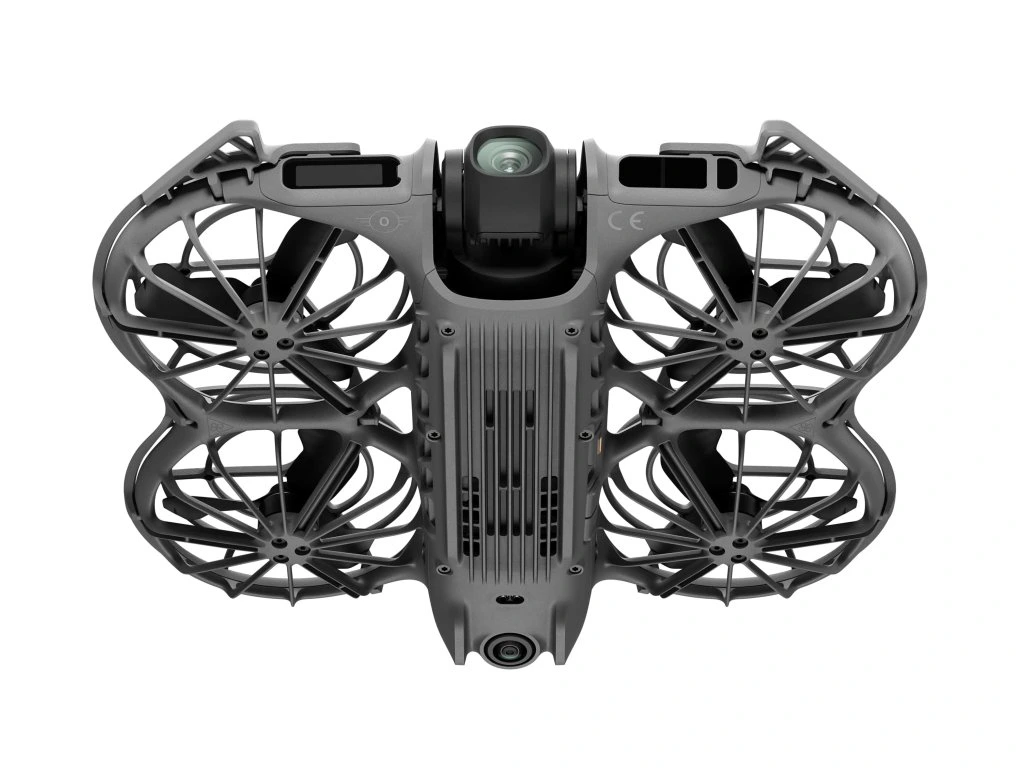
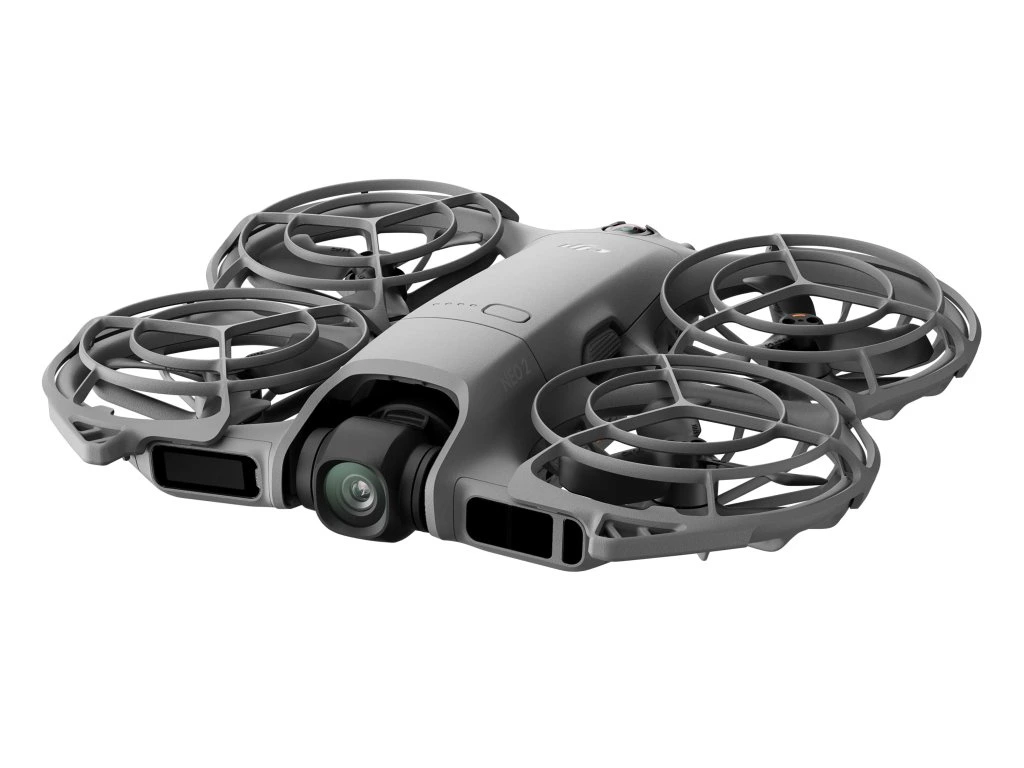
DJI Neo 2 is the most compact drone from DJI, equipped with omnidirectional obstacle sensing and features such as Gesture Control, SelfieShot, and ActiveTrack, allowing for more creative ways to fly. Even beginners can easily learn to fly it. Think of it as your personal camera drone that constantly follows you and is always ready to capture your most exciting moments.
- Palm takeoff and landing
- Faster and smoother tracking with ActiveTrack
- Easily capture moments with SelfieShot
- Omnidirectional obstacle sensing
- Perfect 4K image quality
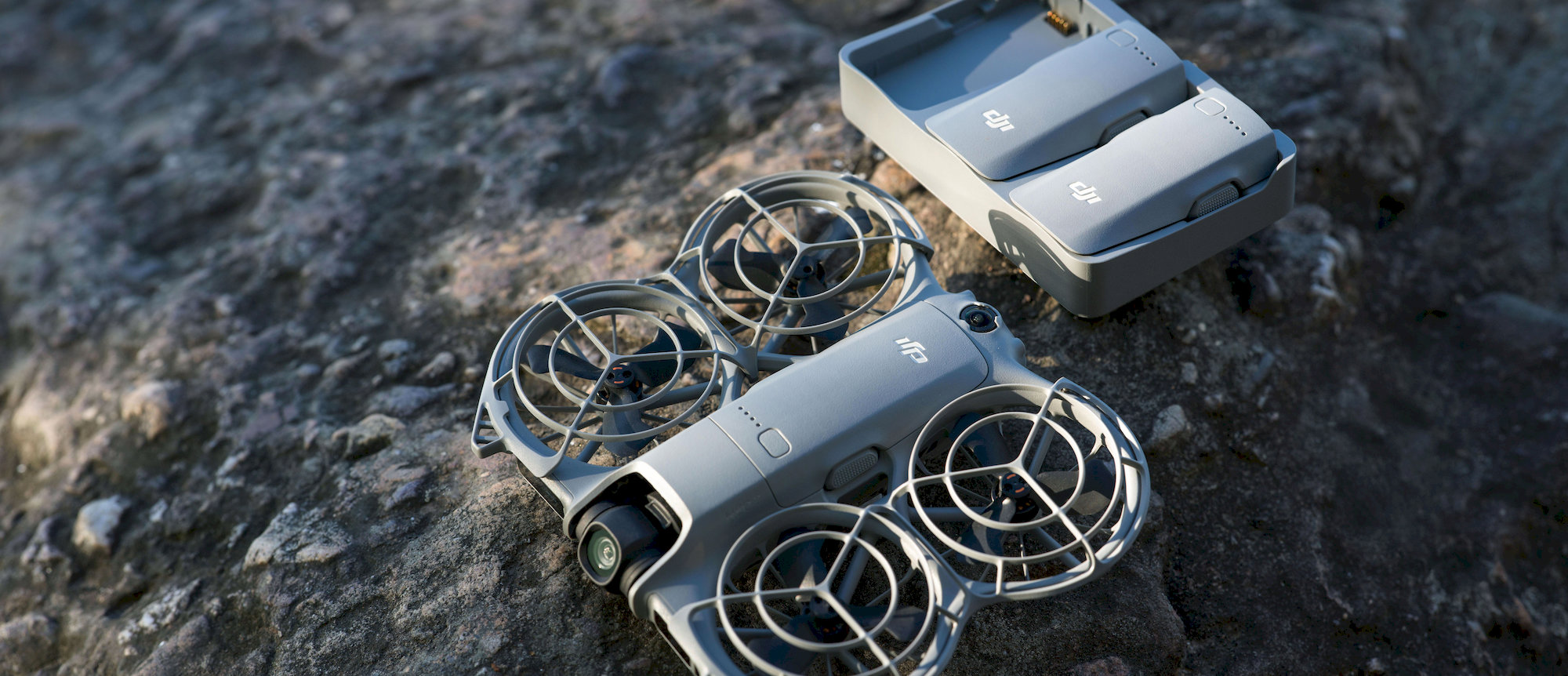
- Compact, portable design with protective propeller guards
Easy Flight Control
DJI Neo 2 features an integrated display that allows intuitive selection of shooting modes. To take off, simply point the drone at yourself and press the button with one hand – Neo 2 will launch directly from your palm and start recording automatically. Thanks to the Return-to-Palm function, the drone can precisely locate your palm, return safely, and land, making flying easier and more fun than ever before.
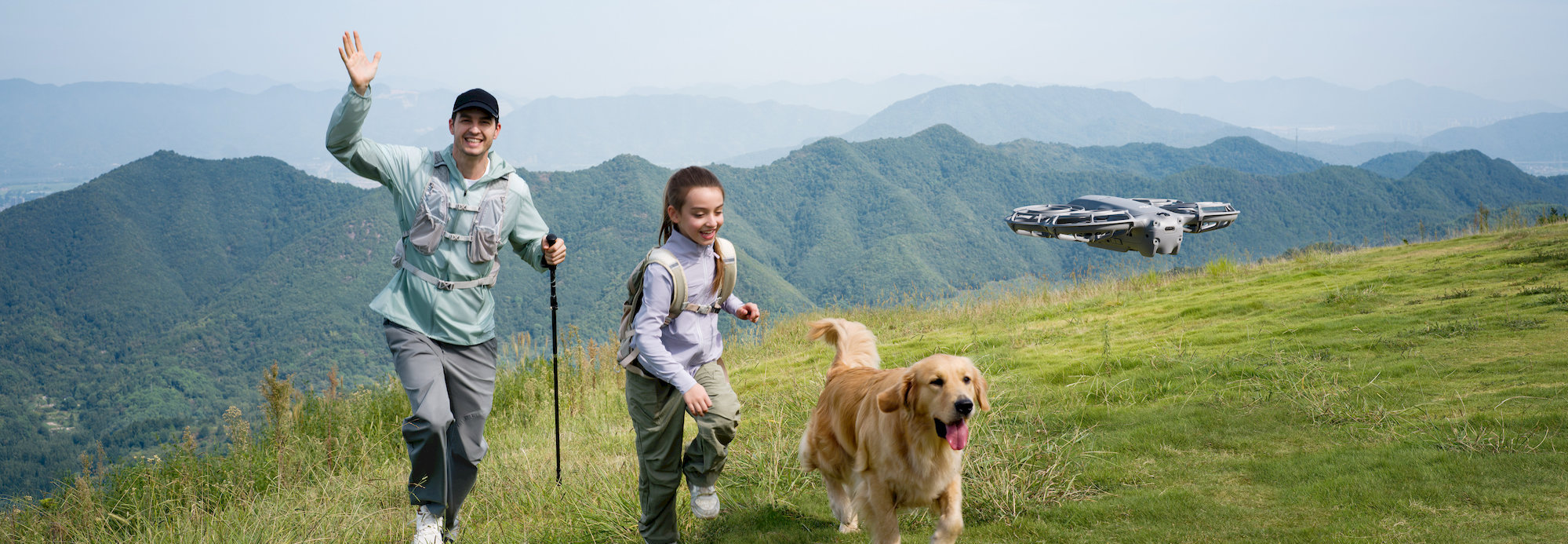
More Control Options, More Fun
Neo 2 can easily follow you even without a remote controller, capturing every exciting moment. Pair it with the DJI RC-N3 or RC 2 controller and start your flight effortlessly. Put on DJI Goggles and use the Motion Controller to dive into an immersive FPV flight.
Gesture Control
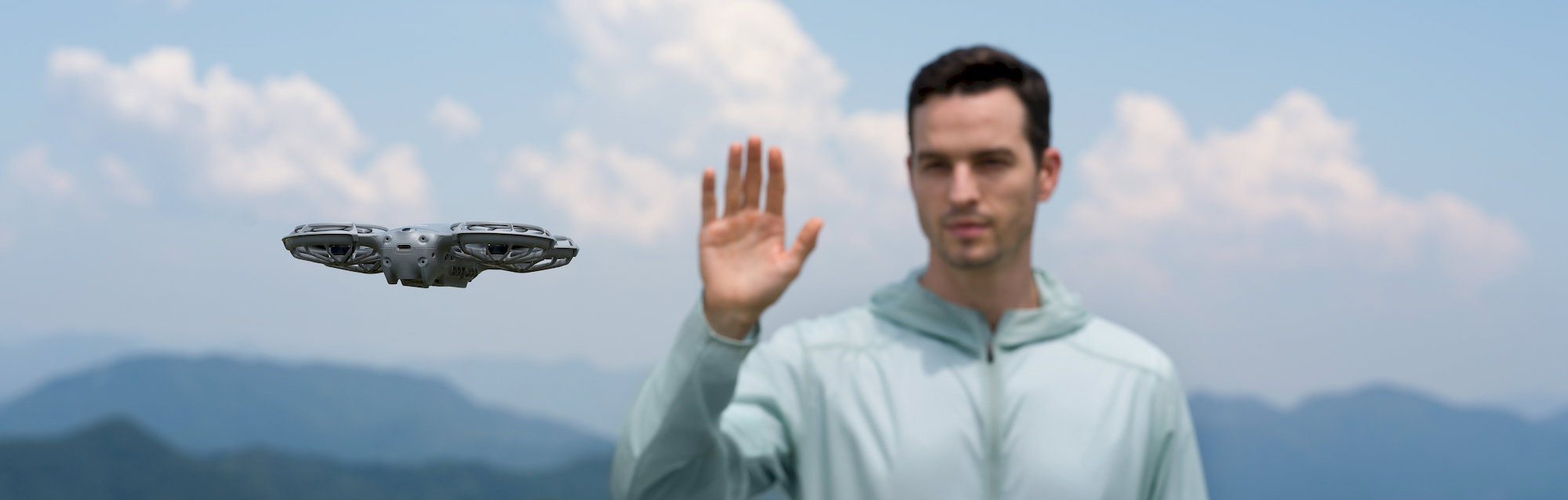
Easily adjust flight direction and distance with your hands. Point your palm toward the drone to move it up, down, or sideways, or use both palms to precisely control the distance. You don’t need a remote controller to adjust the camera angle.
Voice Control via Smartphone
Neo 2 supports voice control, allowing you to operate the flight easily using your smartphone or Bluetooth headset, whether you’re running or cycling. Once connected to your phone, it can capture audio and intelligently reduce propeller noise, making content creation easier and more professional.
Mobile App Control
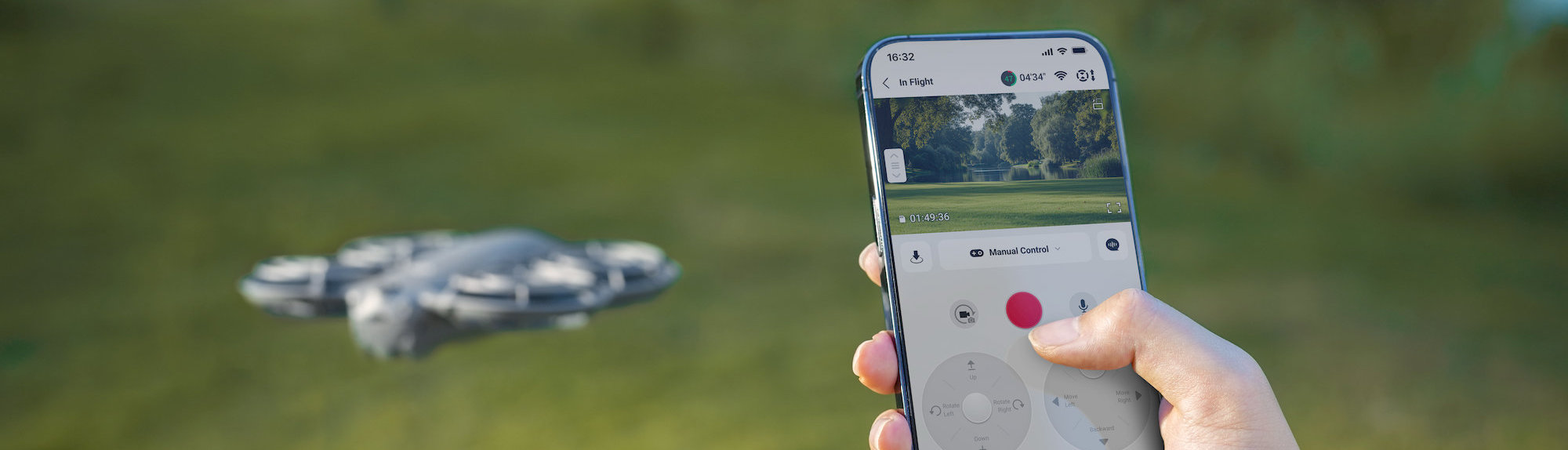
Control Neo 2 using virtual joysticks in the DJI Fly app and enjoy easy flight control without using a remote controller.
Remote Controller Operation
When paired with the DJI RC-N3 controller, Neo 2 allows a maximum video transmission distance of up to 10 km. When you need to capture professional-level footage, you can control the camera using the traditional control sticks.
Motion Control
When paired with the DJI Motion Controller and Goggles, Neo 2 supports motion control and Easy ACRO mode, providing a fully immersive FPV experience.
Intelligent Shooting for Sharp Footage
DJI Neo 2 supports ActiveTrack and SelfieShot, automatically framing subjects and allowing smooth, hands-free shooting from start to finish. Various smart shooting modes unlock new perspectives and inspire creativity instantly. With 4K video recording, Neo 2 ensures crisp and detailed footage.
Faster and Smoother Tracking with ActiveTrack
Thanks to enhanced tracking performance, Neo 2 enables smooth and stable following during running, cycling, and other activities. In open spaces, it can track at speeds up to 12 m/s, ensuring quicker response and greater stability.
Expanded Tracking Capabilities
Tracking in eight directions (forward, backward, left, right, and four diagonals) enables more natural framing and expands creative options. In complex environments, the drone can switch to rear tracking mode, keeping the subject in frame and offering more creative freedom.
Easily Capture Moments with SelfieShot
Take a selfie or group shot using SelfieShot, which smoothly transitions from portrait to wider shots – without a tripod or extra setup. Neo 2 automatically adjusts the scene to ensure every moment is perfectly captured.
High 4K Image Quality
Neo 2 features a 12 MP 1/2" CMOS sensor with an f/2.2 aperture and a powerful image processor for bright, low-noise footage. It supports 4K/60 fps video, slow-motion 4K/100 fps, and vertical 2.7K videos. Stabilization is provided by a 2-axis gimbal.
- 4K Video – 4K/60 fps and slow-motion 4K/100 fps for smooth results
- Portrait Enhancement – optimized brightness, contrast, and skin tones for naturally vibrant results
- Vertical 2.7K Recording – perfect for social media
Enhanced Stabilization
2-axis gimbal combined with Electronic Image Stabilization (EIS) ensures smooth and stable footage even in challenging situations.
Smart Modes for Perfect Shots
Neo 2 supports creative modes that quickly open new perspectives and save time while filming:
- Dolly Zoom – cinematic effect with dynamic change of angle and perspective
- QuickShots – automatic flight paths for attractive short clips
- MasterShots – intelligent shot combinations processed into a final video
Dual Protection for Safe Flight
Omnidirectional obstacle sensing and integrated propeller protection provide dual safety for secure flight. Capture every moment of your life and enjoy a worry-free flying experience.
Full Protection – Suitable Even for Beginners
An omnidirectional monocular vision system combined with a front LiDAR and infrared sensor detects obstacles in real time. The integrated propeller guard ensures safe handling, making Neo 2 ideal even for complete beginners.
Omnidirectional Obstacle Sensing
Neo 2 can detect and avoid obstacles when tracking from the front or sides, significantly increasing flight safety and reducing the risk of collisions.
New Flight Capabilities
Neo 2 offers new navigation possibilities – improved hovering, more precise positioning, and more stable flight behavior indoors, over water, or snow.
Fully Integrated Propeller Protection
A lightweight design combined with integrated propeller guards ensures a safer and more agile flight. Carrying and handling are easy and worry-free.
Create Easily and Efficiently
Internal Storage
With 49 GB of internal storage, you can record long 4K videos without interruption and capture every moment without the need for a memory card.
Easy Charging
For convenient charging, connect the drone directly to a power source via USB-C. Using the DJI Neo 2 Two-Way Charging Hub, you can charge up to three batteries simultaneously, speeding up the entire process.
Fast File Transfer
QuickTransfer with a transfer speed of up to 80 MB/s allows instant access to captured footage without the need for cables.
Return to Home (RTH)
When using gesture or app control, Neo 2 automatically returns after completing its route. When using the controller or motion controller, it supports Return to Home (RTH) and Failsafe RTH with obstacle avoidance for maximum safety.
Flight Time and Wind Resistance
- Flight time up to 19 minutes – more than 20 standard palm takeoffs
- Wind resistance up to 10.7 m/s
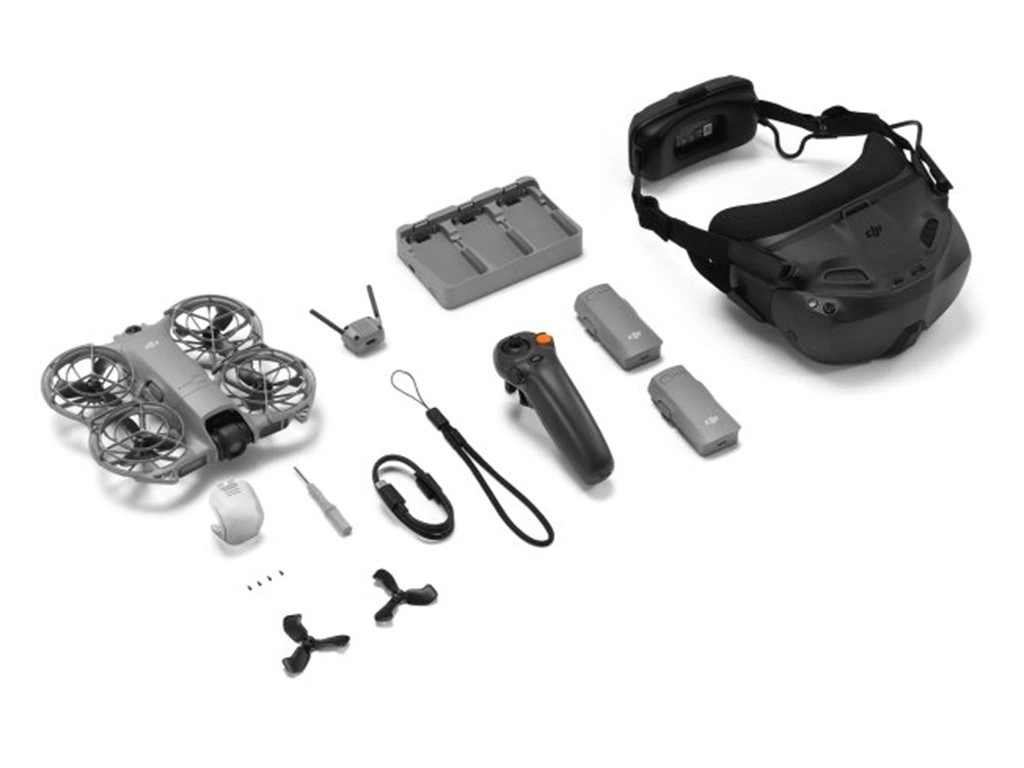
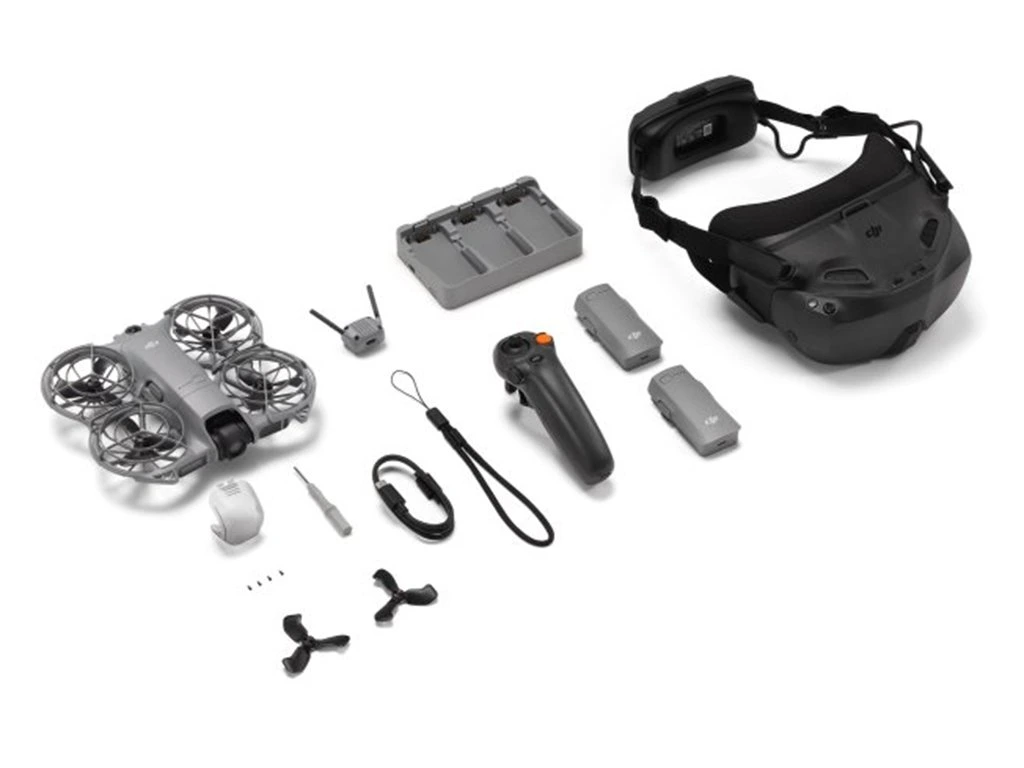
Package contents:
1x DJI Neo 2 Aircraft
3x DJI Neo 2 Intelligent Flight Battery
1x DJI Neo 2 Spare Propellers (Pair)
1x DJI RC Motion 3
1x DJI Goggle N3
1x DJI Neo 2 Digital Transceiver
1x DJI Neo 2 Two-Way Charging Hub
1x DJI Neo 2 Spare Propeller Screw
1x DJI Neo 2 Propeller Guard (Pair)
1x DJI Neo 2 Gimbal Protector
1x USB-C to USB-C Data Cable
Notes:
[1] The omnidirectional vision system assists flight safety only under certain conditions and is not a substitute for your own judgment and control. Always pay attention to your surroundings and the warnings in the DJI Fly app during flight, and remain responsible for the drone, keeping it under your control at all times.
The optimal altitude range for positioning using the vision system is 0.5 to 10 m when GNSS signals are unavailable. The performance of visual positioning may decrease when flying outside this range. Fly with caution.
The vision system may not function properly when the drone is flying over water, which could prevent it from actively avoiding the water surface below during landing. Operators should always maintain control of the drone, make operational decisions based on an assessment of the surrounding environment, and avoid relying solely on the vision system.
The vision system cannot detect certain objects or surfaces, including: large structures with frames or cables (e.g., tower cranes, high-voltage transmission towers, power lines, suspension bridges); textureless or low-texture surfaces; surfaces with repeating identical patterns or textures (e.g., small tiles of the same color); monochromatic surfaces (e.g., pure black, pure white, pure red, pure green); highly reflective or mirror-like surfaces (e.g., ice, traffic signs); water or transparent surfaces; moving surfaces (e.g., over moving crowds, waving bushes or grass); moving obstacles (e.g., walking people, moving vehicles); scenes with drastic changes in lighting; surfaces that are extremely dark (below 1 lux) or extremely bright (above 100,000 lux); materials with strong infrared absorption or reflection (e.g., mirrors, glass, traffic signs, asphalt); small obstacles (e.g., fences, branches, wires); and thin poles or small vertical objects (e.g., streetlight poles, lamp posts).
Never block or interfere with the sensing system under any circumstances. Ensure that all lenses remain clean, free of dirt, smudges, or other contaminants, and are not scratched. The visual system cameras may require calibration after long-term storage. A prompt will appear in the DJI Fly app, and calibration will be performed automatically.
Do not fly in rain, fog, or when visibility is below 100 m. Before takeoff, inspect the glass surfaces of the sensing system. Remove any protective films, stickers, or other obstructions. If there are water droplets, fingerprints, or smudges, clean the glass with a lint-free cloth. Do not use alcohol or other organic solvents. If the glass surface is loose, broken, scratched, or worn, send the drone for repair to an authorized service center.
Refer to the product user manual for more details.
[2] “Versatile flight” refers to the DJI Neo 2’s ability to fly both indoors and outdoors, with significantly improved performance compared to the DJI Neo, especially in environments such as flying over water or snow. Always ensure compliance with local laws and regulations, certification requirements, and airspace authorizations, and make sure you understand and have obtained all necessary permissions before operating the drone.
Flight performance may decrease if the drone flies near monochromatic, transparent, or low-texture surfaces under weak GNSS signal conditions. Always fly carefully in well-lit environments. When flying over water, maintain an altitude of at least 1 meter for safety.
Refer to the product user manual for more details.
[3] Recording 4K/100fps slow-motion video is supported only when using the remote controller or motion controller.
[4] When using gesture control, follow these conditions and precautions:
Ensure the surrounding environment is safe when using this feature and avoid moving people, animals, or vehicles. Do not use gesture control in areas with small or thin objects (e.g., branches or wires), transparent objects (e.g., glass or water), or monochromatic surfaces (e.g., white walls). Use this feature only in environments with appropriate lighting.
Gesture control will not function when ambient light is below 5 lux or above 100,000 lux. Gesture control is supported only in Spotlight or Follow mode and is not available when using the remote controller or motion controller.
Keep the drone approximately 2–5 m away from the operator when using this function. Make sure your fingers are fully extended. Gesture control will not work with thick gloves or mittens, and the subject must be fully visible in the camera frame without any obstructions.
When using the Return to Palm function, maintain a horizontal distance of 2–5 m between the drone and your palm, and a vertical distance of no more than 2 m. If the function does not respond at a close distance, adjust the drone’s position using gesture control or move yourself to avoid visual blind spots, then try again.
To make the drone return by raising one hand, hold it horizontally within 10 m of your hand, ensure your arm is fully extended when raised, and do not raise both hands simultaneously, as this will prevent the drone from returning.



Add reply to comment: